


15 Essential Steps for Your Small Business Website Pre-Launch
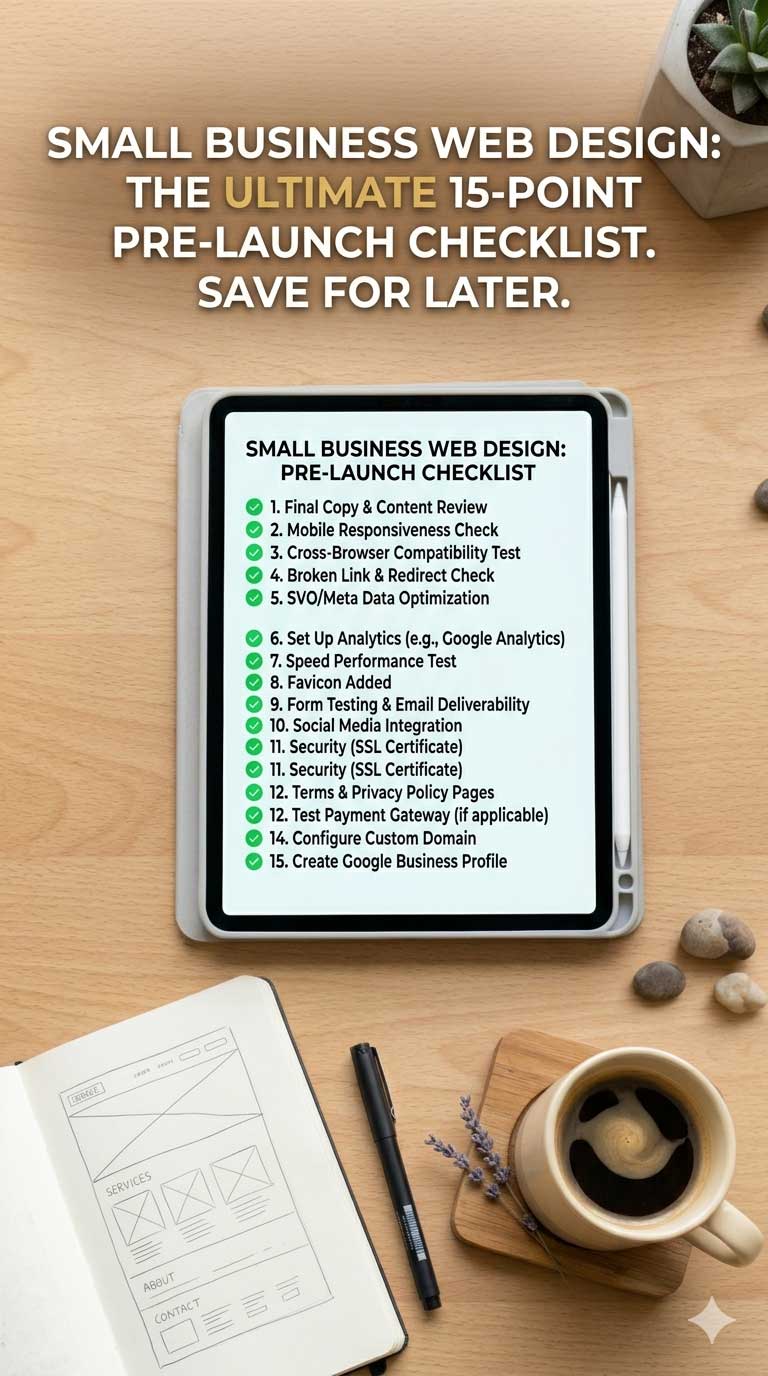
Launching a new website often feels like reaching the finish line. After weeks—or sometimes months—of planning, writing content, reviewing designs, and making revisions, there's a natural temptation to press publish and move on to the next priority.
That's usually the moment mistakes happen.
A website launch isn't the end of a project. It's the point at which your business begins making first impressions at scale. Every visitor who arrives in the days and weeks after launch will form an opinion about your business based largely on what they find online. Small issues that seemed insignificant during development can suddenly become expensive when real customers encounter them.
The good news is that most launch-day problems are predictable. A structured review before going live can prevent lost enquiries, damaged credibility, and unnecessary frustration.
Here are fifteen checks worth making before your website meets the public.
1. Read Every Page as a Customer, Not an Owner
Business owners know their services so well that they often overlook gaps in explanation. What seems obvious internally may be confusing to someone visiting the website for the first time.
Try reading every page with fresh eyes. Could a stranger understand what you do, who you help, and how to take the next step within a few seconds of arriving? If not, simplify the message before launch.
2. Test Every Contact Form
It sounds basic, but broken forms remain one of the most common launch issues.
Submit enquiries through every form on the website. Confirm that submissions arrive in the correct inbox, that notification emails are working properly, and that automated responses appear as expected. A form that looks functional but silently fails can cost far more than most design mistakes.
3. Check Your Website on Multiple Devices
A website may look excellent on the computer it was designed on while appearing awkward elsewhere.
Review the site on different screen sizes, including smartphones and tablets. Pay particular attention to navigation menus, image cropping, button placement, and contact forms. Mobile users often represent the majority of visitors, especially for local service businesses.
4. Verify All Phone Numbers and Email Addresses
An incorrect phone number can remain unnoticed for weeks if nobody checks it.
Review every contact detail throughout the website, including headers, footers, service pages, contact pages, and call-to-action sections. Make sure telephone links work correctly on mobile devices and that email links open as intended.
5. Review Your Service Pages Individually
Many businesses focus heavily on the homepage while neglecting deeper pages.
Service pages often attract visitors directly from search engines. Someone searching for a specific service may never see your homepage at all. Each service page should clearly explain what is offered, who it is for, and how to make contact.
6. Remove Placeholder Content
Development websites frequently contain temporary content that survives longer than intended.
Check for stock text, draft sections, placeholder testimonials, unfinished headings, or generic images that were intended to be replaced later. Visitors are remarkably good at spotting unfinished details.
7. Test Website Speed
People rarely complain about slow websites. They simply leave.
Even a few extra seconds of loading time can affect how professional a business appears. Large image files, unnecessary animations, and excessive plugins are common causes of poor performance. A launch review should include testing page speed and addressing any obvious bottlenecks.
8. Check Your Calls to Action
Imagine a visitor decides they want to contact you.
How obvious is the next step?
Many websites unintentionally hide their most important actions. Contact buttons should be easy to find and clearly labelled. Visitors should never need to search for a way to make an enquiry.
9. Review Every Link
Broken links undermine confidence surprisingly quickly.
Check internal links, navigation menus, buttons, downloadable documents, and external resources. A visitor who repeatedly encounters dead ends may begin questioning the reliability of the business itself.
10. Make Sure Local Information Is Visible
For local businesses, location matters.
Visitors often want quick confirmation that you serve their area. Ensure your location, service areas, and local contact information are easy to find. If relevant, include local references, project examples, or photographs that reinforce your connection to the area.
11. Proofread Beyond Spelling
Spellcheck software catches many errors but not all of them.
Review the website for awkward phrasing, inconsistent terminology, duplicated content, and factual inaccuracies. A page can be grammatically correct while still creating confusion for visitors.
12. Confirm Analytics Are Working
Many businesses launch a website and only later discover that visitor tracking was never configured properly.
Before going live, confirm that analytics tools are collecting data correctly. Understanding how people use your website becomes invaluable when deciding what improvements to make in the future.
13. Check Search Engine Basics
Search engine optimisation is a large subject, but a few fundamentals should be confirmed before launch.
Page titles, meta descriptions, image alt text, and page headings should all be reviewed. Search engines need context to understand what your pages are about, and these elements provide important signals.
14. Review Trust Signals
Visitors often make trust decisions before they read very much content.
Customer reviews, testimonials, case studies, professional accreditations, guarantees, and examples of completed work all help reassure potential clients. A final review should ensure these elements are visible where they can have the greatest impact.
15. Ask Someone Unfamiliar with the Business to Test the Site
This may be the most valuable step on the list.
People involved in a project become blind to its weaknesses because they already know how everything works. Someone seeing the website for the first time can quickly identify confusing navigation, unclear messaging, or missing information.
Ask them to perform a simple task, such as finding a service, requesting a quote, or locating contact information. Their experience often reveals issues that would otherwise go unnoticed.
Why Pre-Launch Checks Matter
The difference between an average website launch and a successful one is rarely dramatic design work or technical wizardry. More often, it comes down to attention to detail.
Customers don't see the hours spent building a website. They only see the final result. If they encounter a broken form, confusing content, missing information, or a frustrating user experience, they judge the business accordingly.
Taking the time to complete a thorough pre-launch review won't guarantee success, but it dramatically reduces the chances of avoidable problems undermining an otherwise strong website.
A launch day should be the start of building momentum, not the beginning of fixing mistakes that could have been prevented with a few careful checks.